No traceability per nurse
The supervised nurse is a free-text field – the same person ends up spelled three different ways.
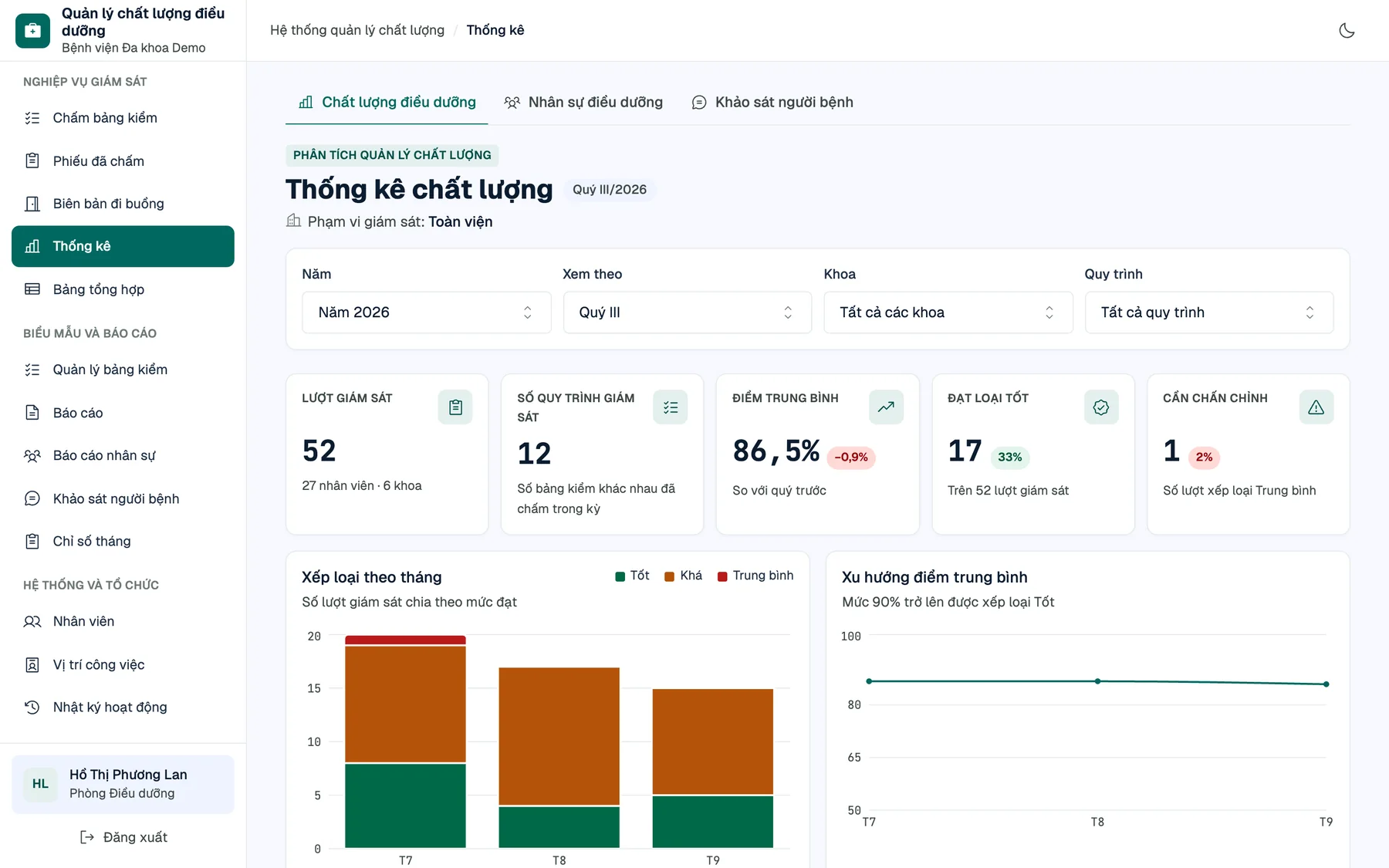
Head nurses score checklists right on their phones. Results roll up into live dashboards and fill the hospital's own monthly, quarterly and annual Word reports automatically. No more scattered online forms, dozens of formula-laden spreadsheets or re-typing numbers by hand.
Already running in production at a provincial general hospital in Vietnam.
One online form per clinical procedure, results flowing into dozens of formula-linked sheets, then copied by hand into Word at period end. Data loses its context the moment it is collected.
The supervised nurse is a free-text field – the same person ends up spelled three different ways.
Around 60 COUNTIFS sheets by month × department × procedure: one inserted row silently skews the numbers.
An annual report takes two to three working days of copying numbers and computing percentages.
Every department can see every other's data, with no trail of who changed which number.
No module keeps its own numbers and nothing lets you overwrite a computed figure. Fix the evaluation and every dashboard and report follows.
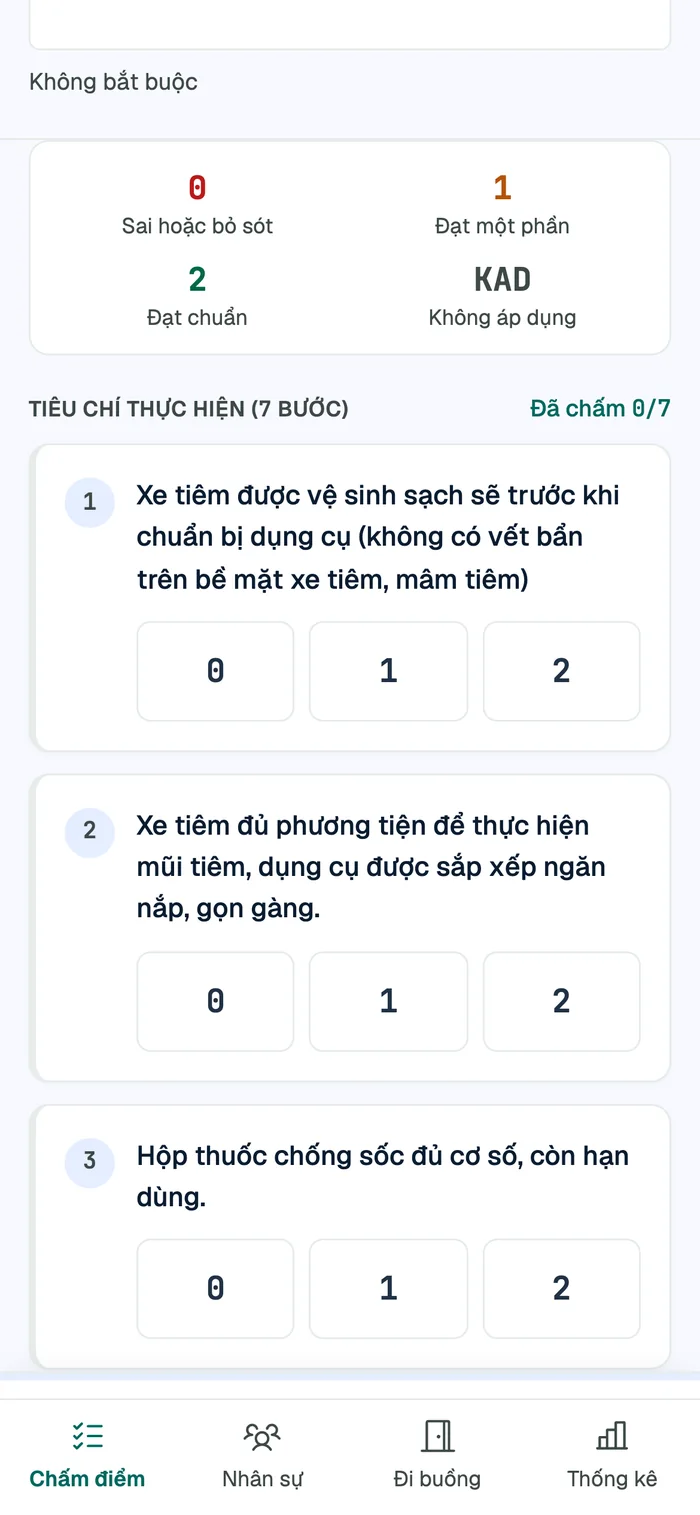
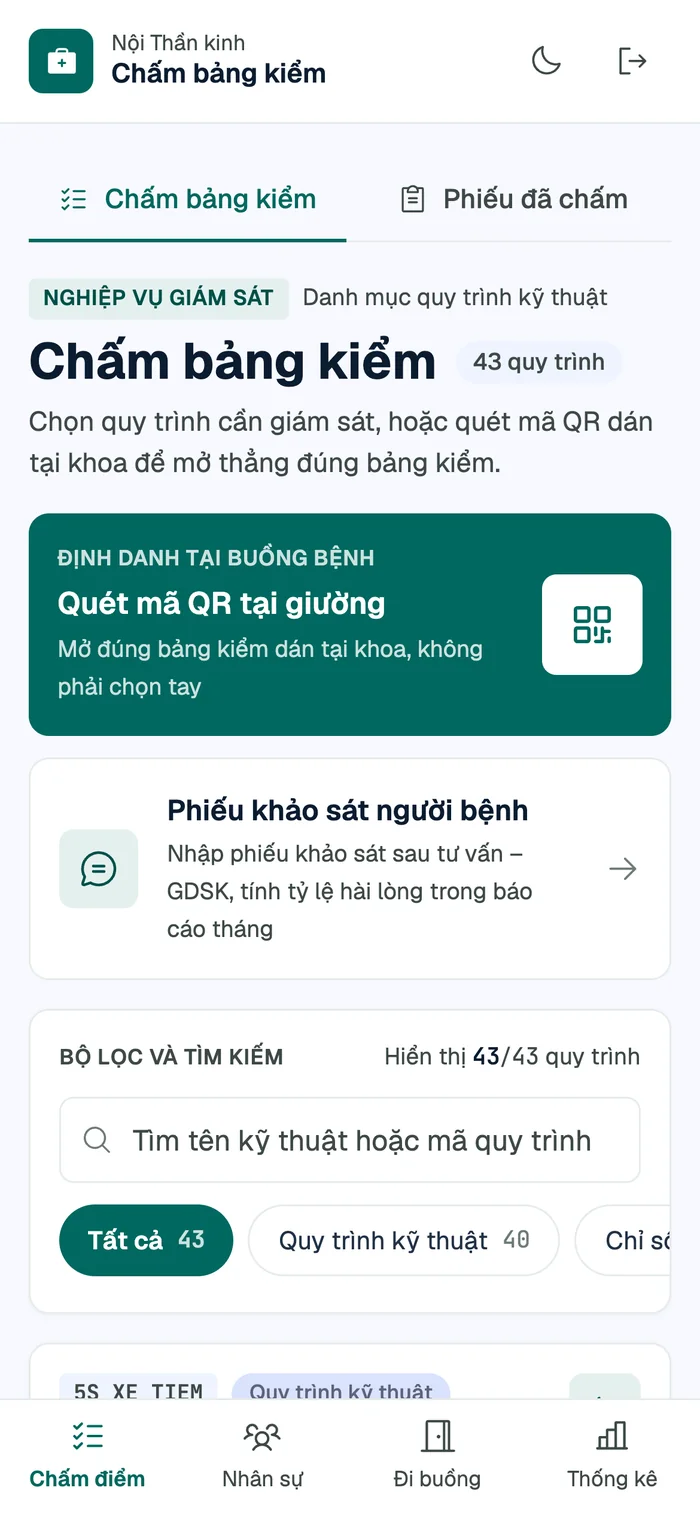
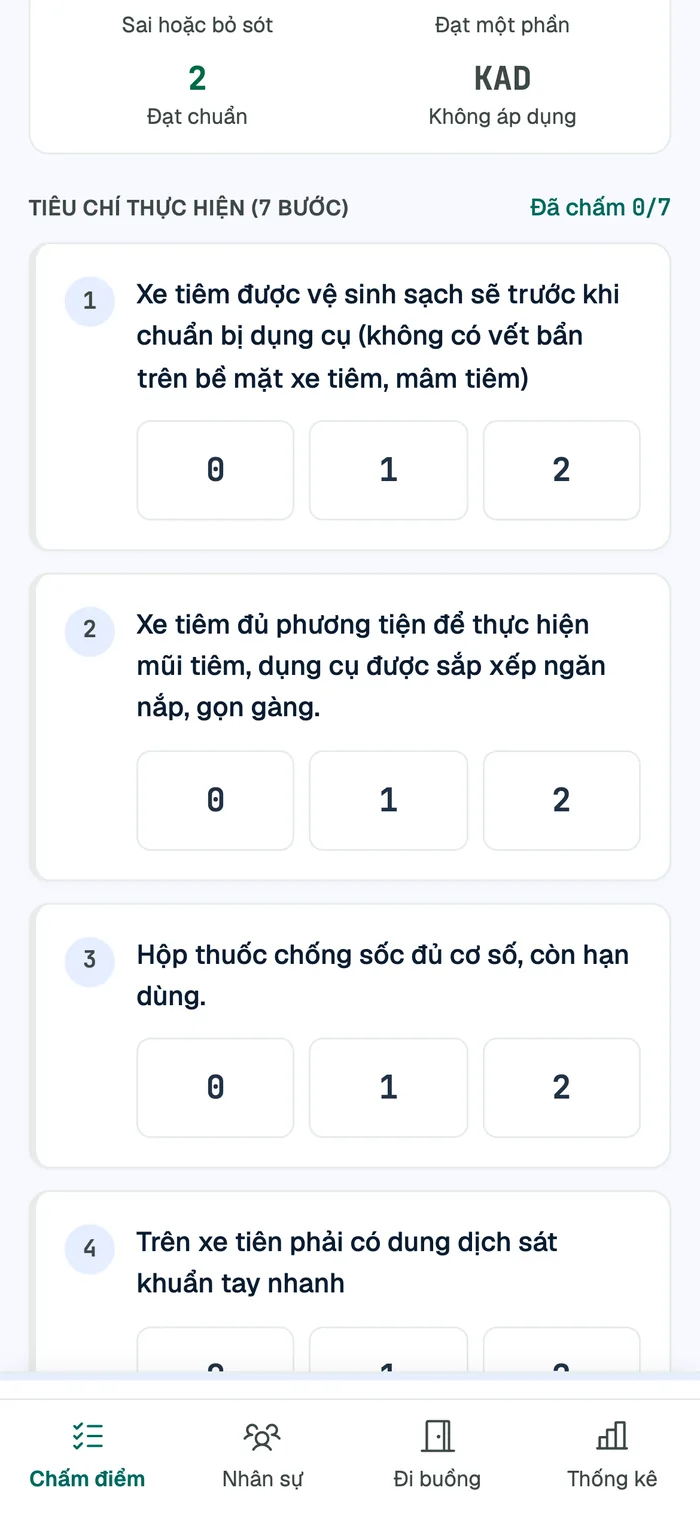
Score checklists at the bedside on a phone; scan the QR code posted in the ward to open the right form.
Trends, department rankings, department × procedure heatmaps and the most frequently missed steps.
Auto-filled into the hospital's own Word templates, submitted and approved online, numbers frozen on submit.
Built for one-handed use mid-shift: large score buttons, instant score and grade, and the supervised nurse picked from the staff registry instead of typed.
Every chart shares one period × department × block × checklist filter and is computed straight from evaluations, replacing every COUNTIFS sheet.
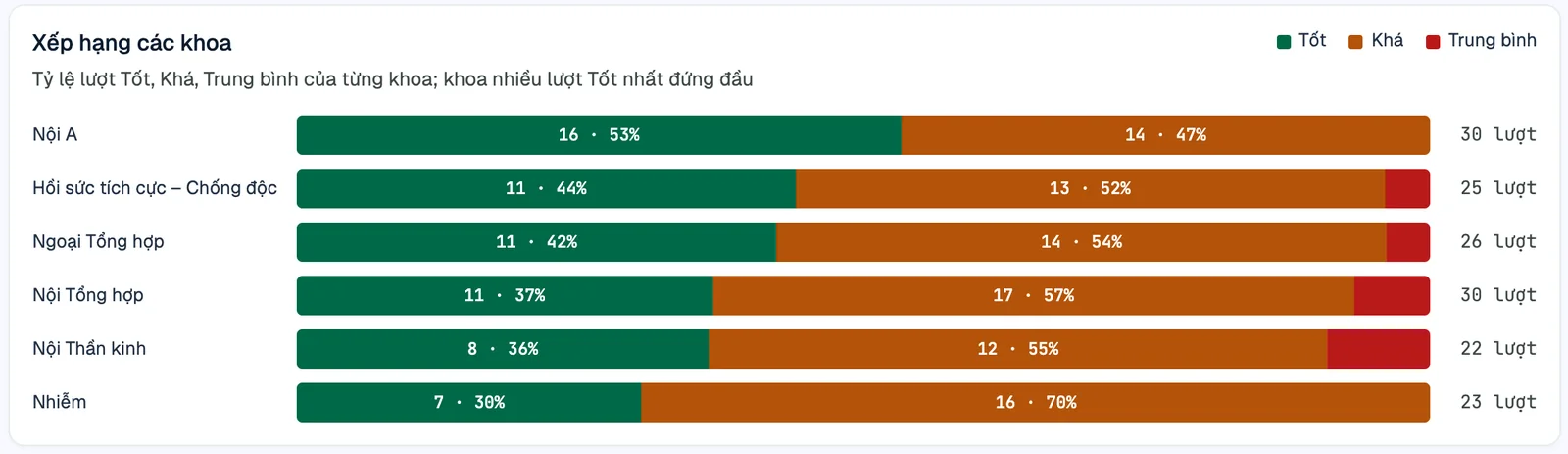
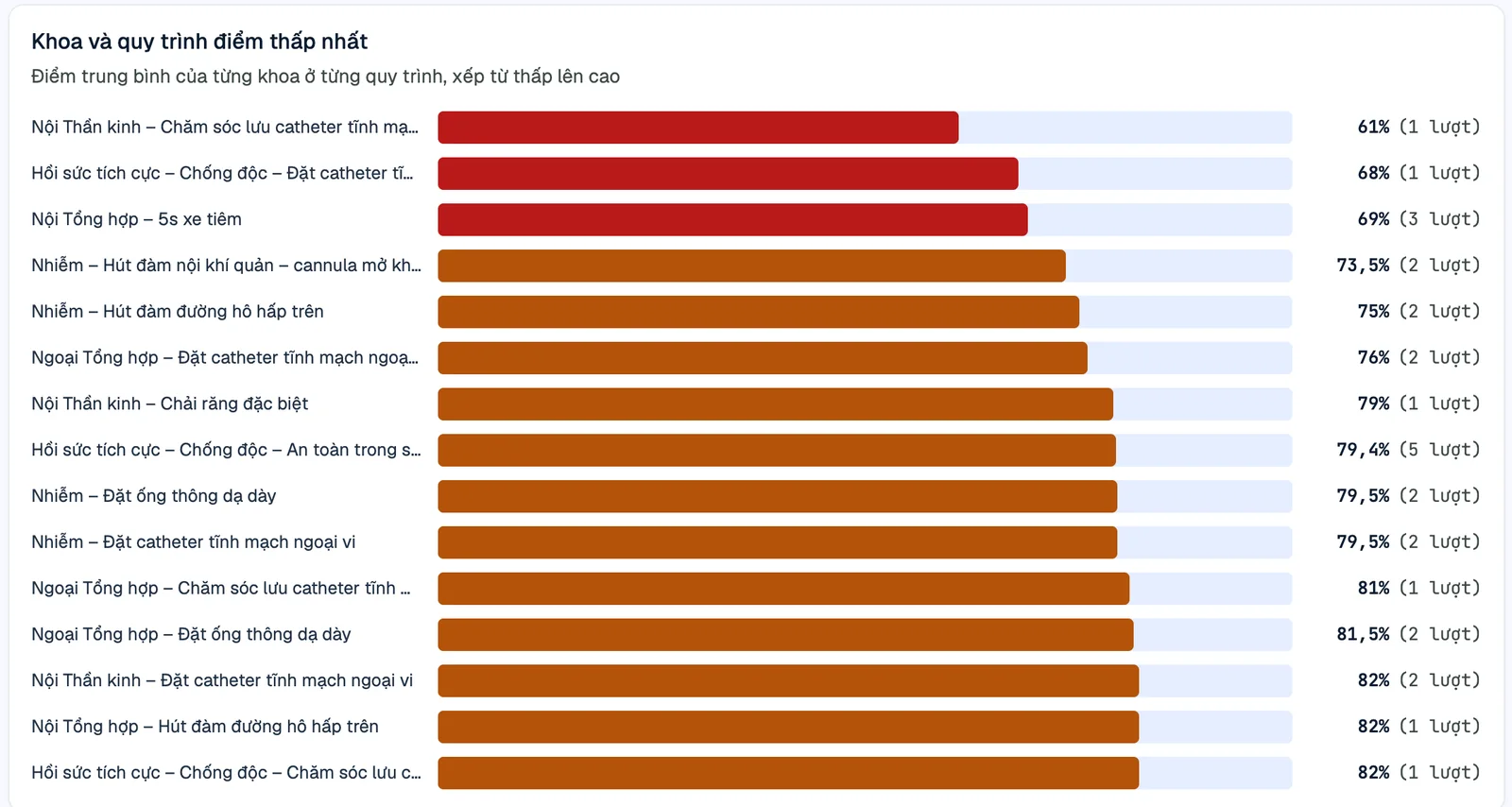
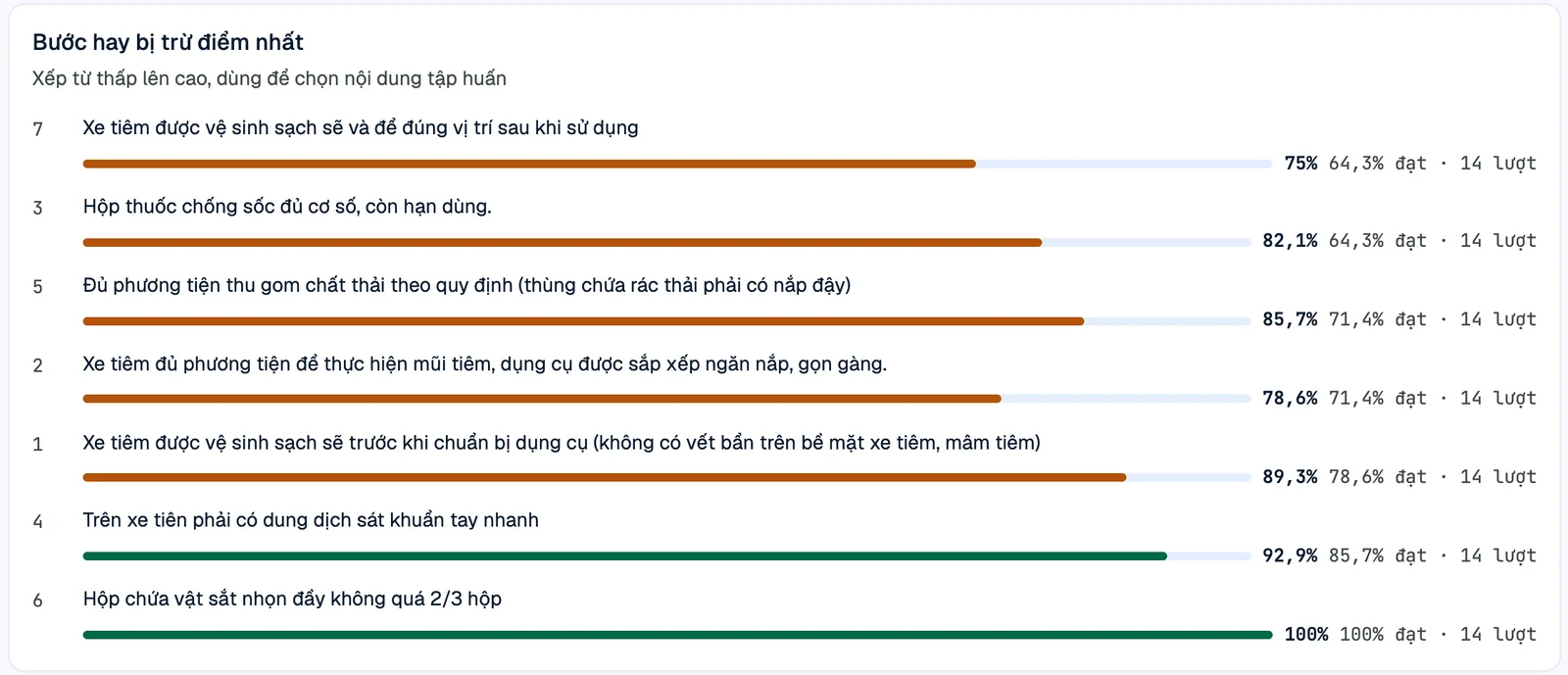
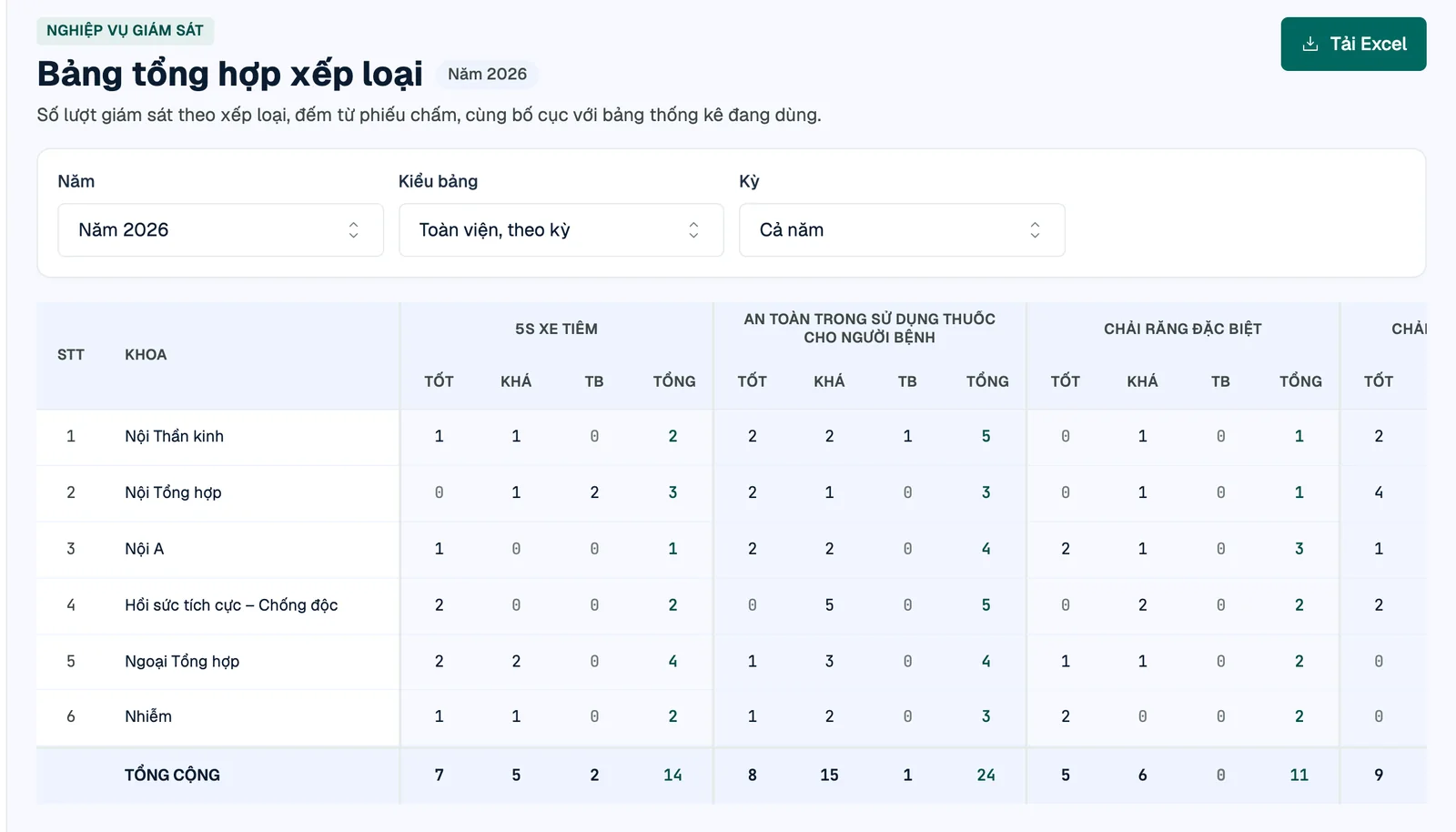
Documents follow the existing template's exact layout, font sizes and wording. Departments only write the commentary – each comment box sits right next to the figures it discusses.
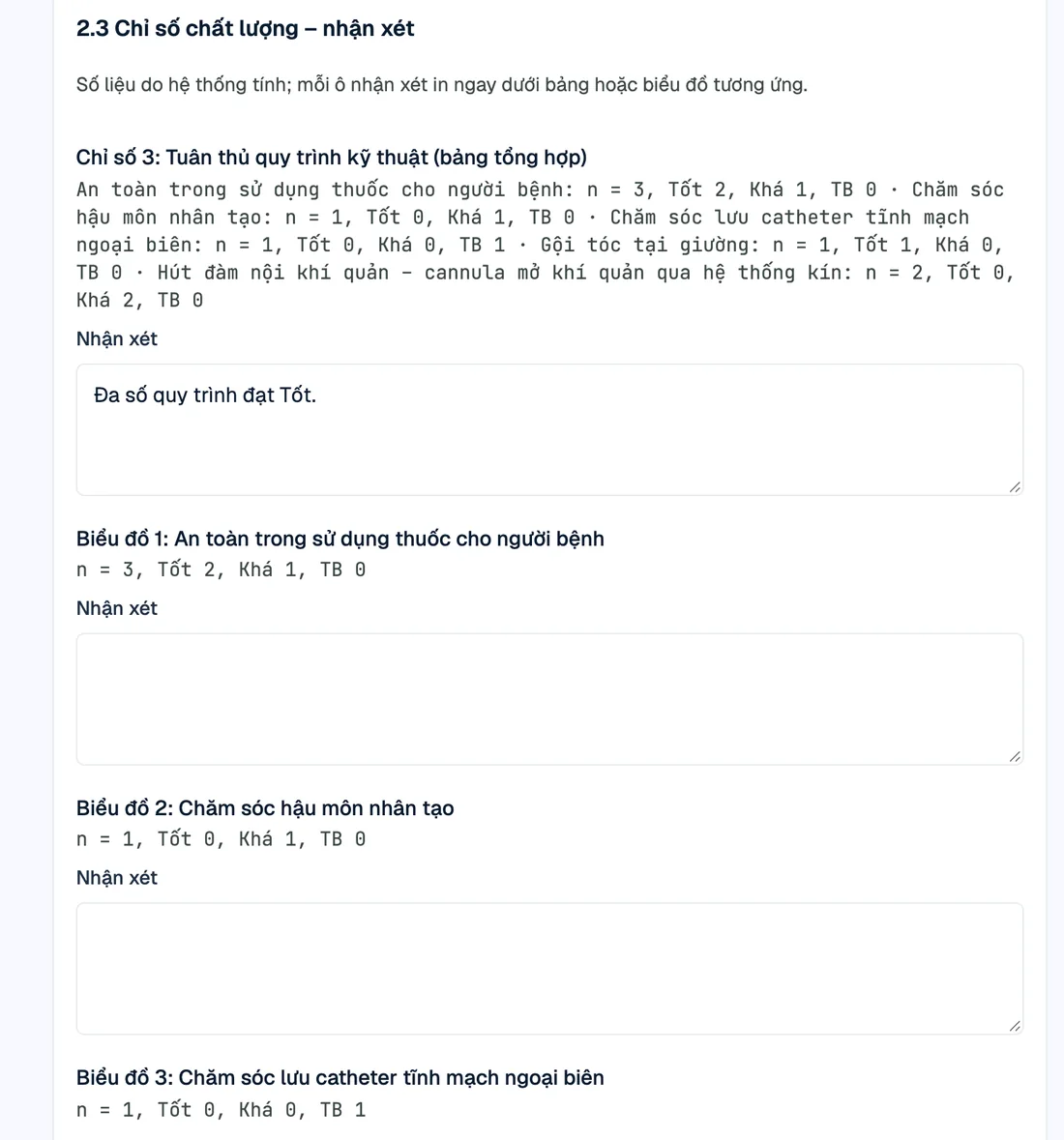
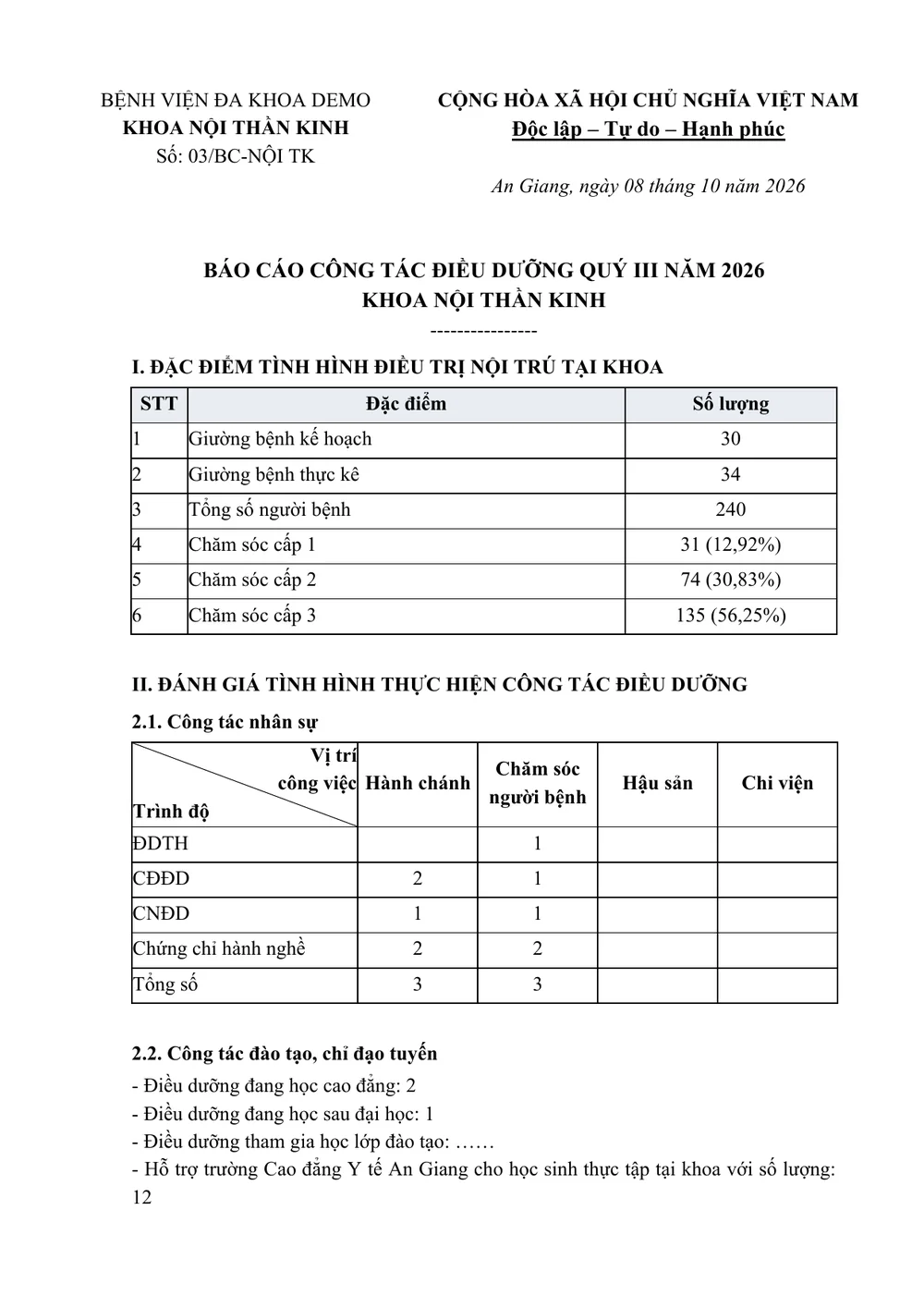
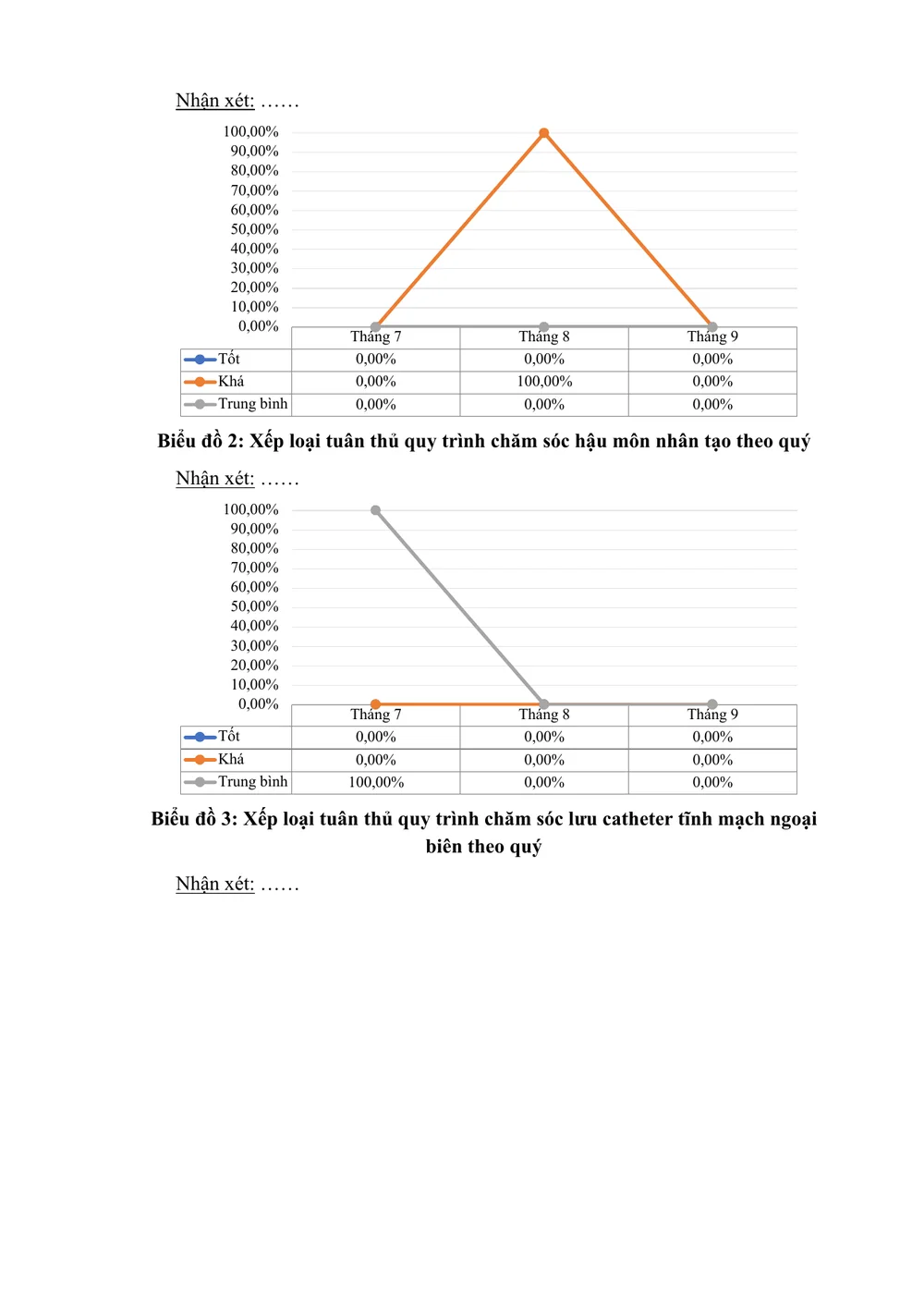
Three daily forms of the nursing department live in the same place, each with a list of missing departments.
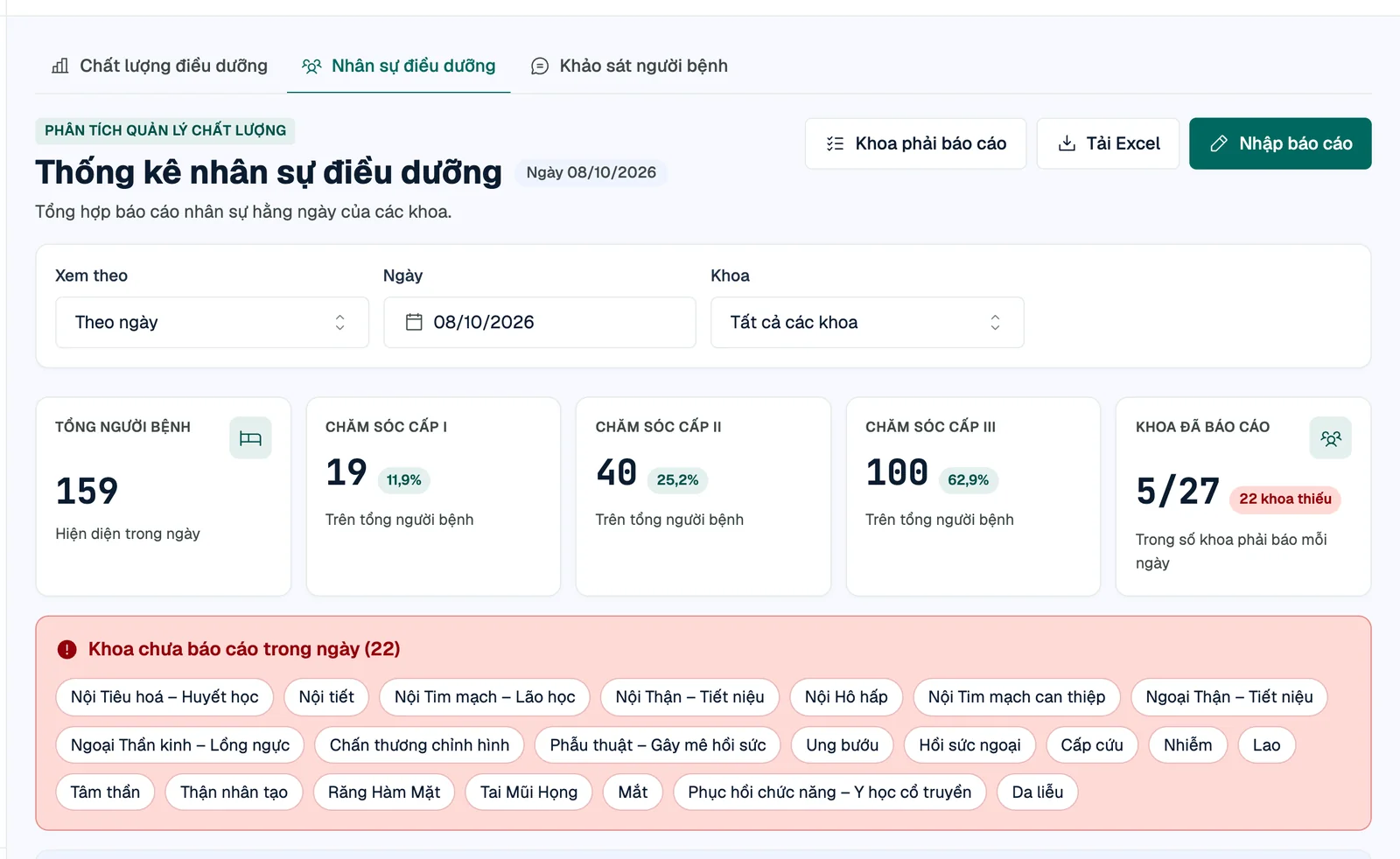
Nurse headcount and patients by care level; one report per department per day, Excel export.
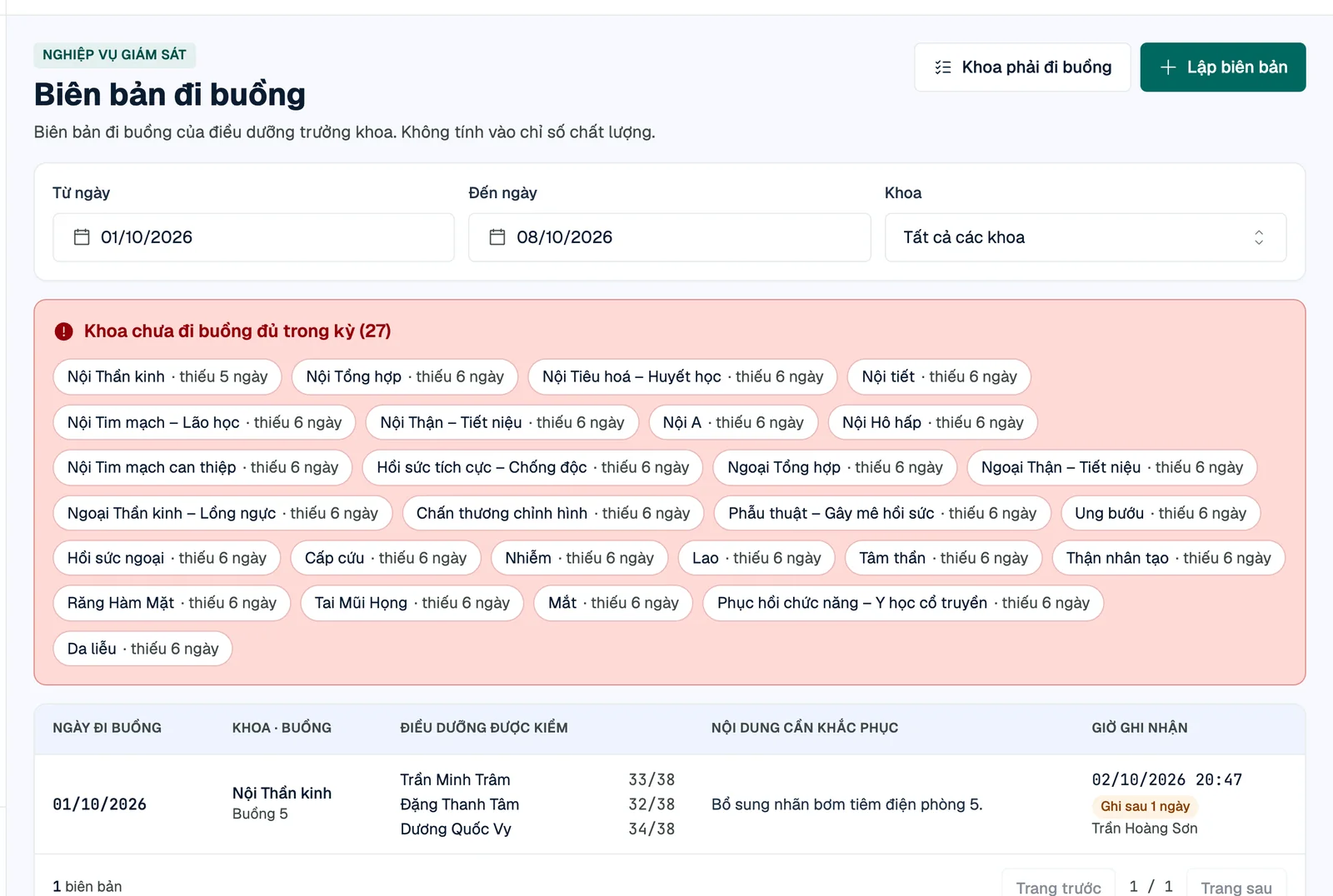
Score up to 8 nurses on 19 items, server-stamped time, Word export matching the paper form.
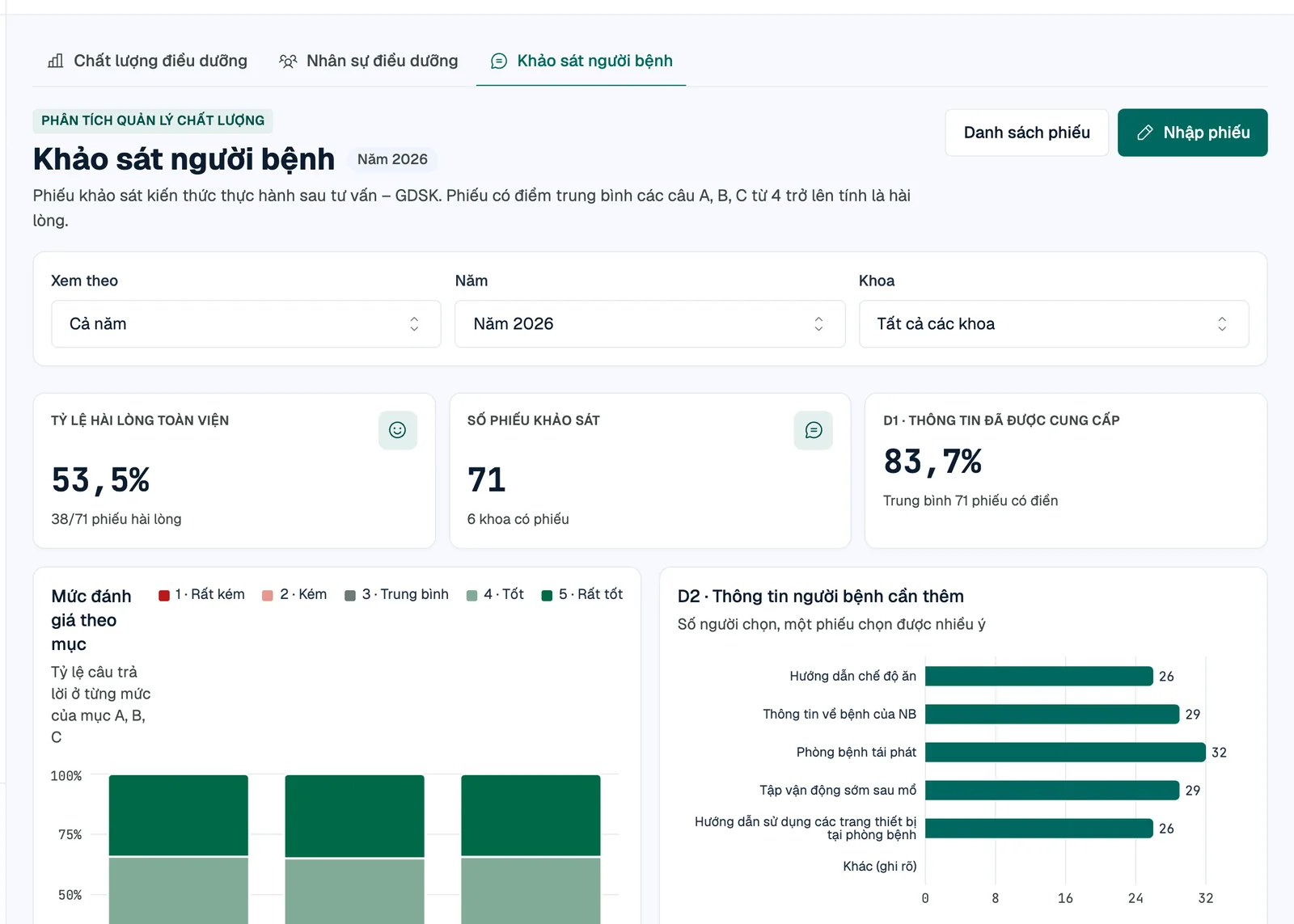
Post-counseling questionnaire; satisfaction rates flow straight into the monthly report.
Hospital checklists are hand-made Word files, each formatted differently. QLDD provides a canonical prompt so Claude (or another assistant) can turn a file into structured data – while the final decision always stays with a person.
The format the prompt describes and the format the server accepts can never drift; it demands verbatim wording.
Step count, max scores, branches and sections are all checked; every error is reported at once, by step.
Output only becomes a draft version; a manager reviews it before it is published for scoring.
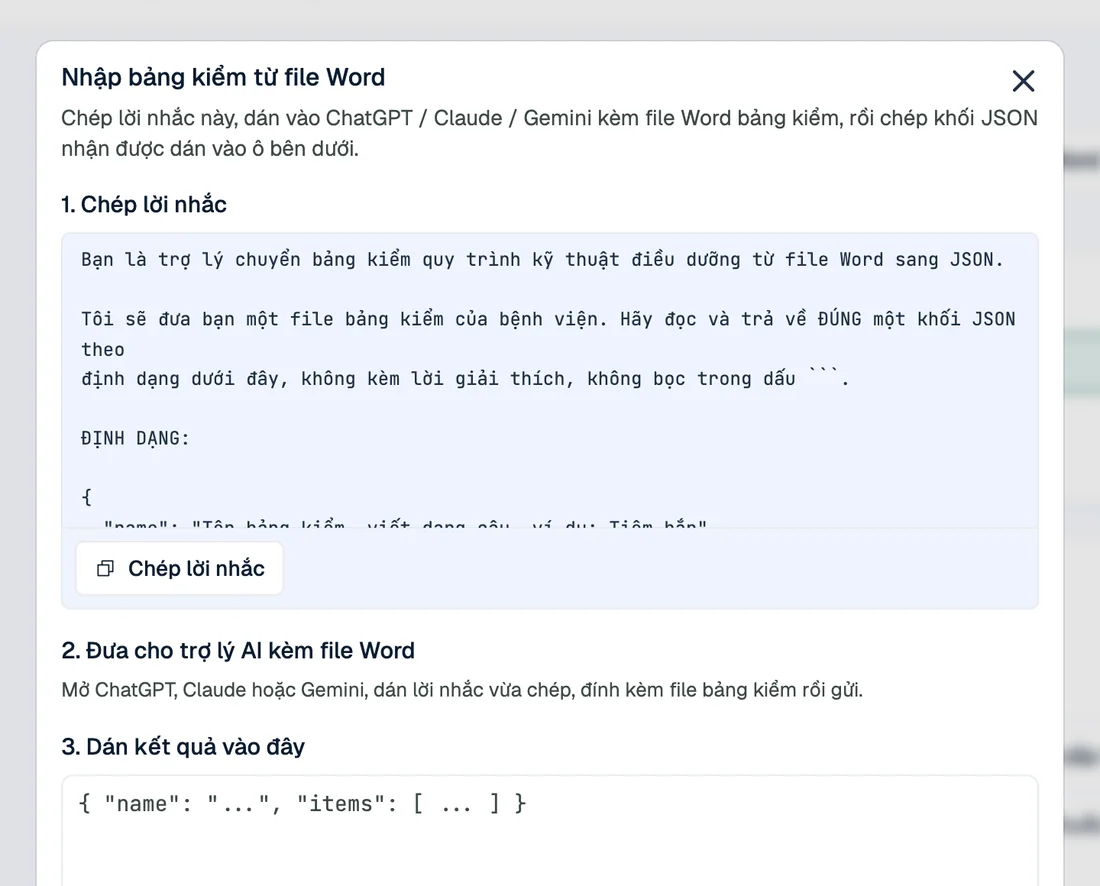
AI never touches the numbers: scores, grades and reports are always computed by deterministic algorithms.
In development: draft report commentary suggested from the period's figures, for head nurses to edit and approve.
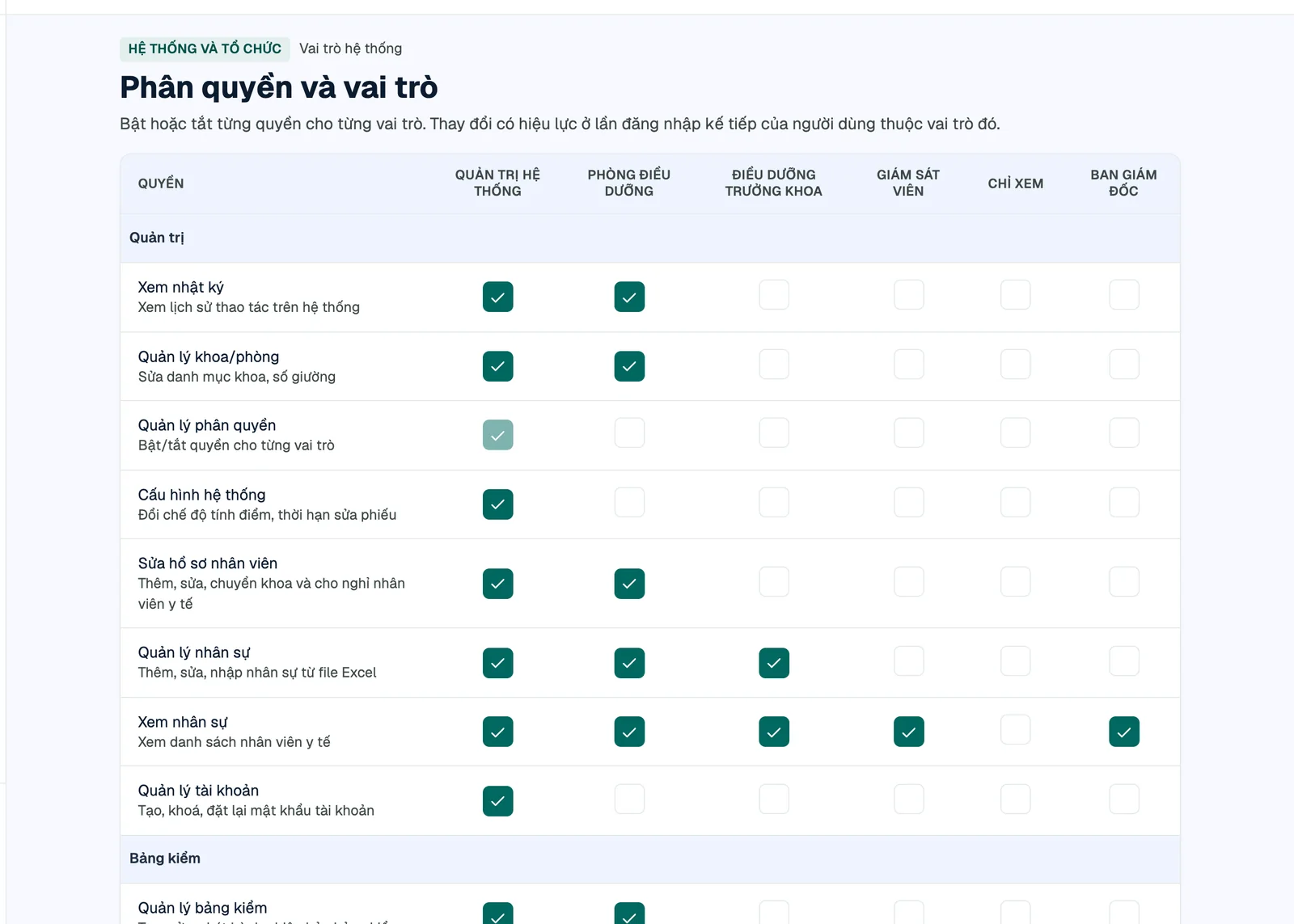
6 roles and 27 permissions editable in the UI; everyone sees only their assigned departments – enforced server-side.
Who, when, what – with before and after values.
Import from Excel, transfer, deactivate – never deleting anyone with past evaluations.
Usernames follow the hospital's convention; one-time temporary password sheet.
Post them in the wards – scan and score.
Comfortable on phones, tablets and desktops.
Each hospital signs in at its own hospital-name.qldd.vn – no installation, no servers to run.
Collect current checklists, report templates and scoring rules.
Departments, staff from Excel, checklists from Word (AI-assisted).
Import past evaluations from spreadsheets, re-score and reconcile with the originals.
Hand out QR codes, provision accounts, onboard every head nurse.
A Go server compiled to a single binary, PostgreSQL with strict integrity constraints and a React UI. Every scoring rule, department-scope rule and Word document is covered by automated tests.
Email us to book an online demo or get a trial workspace for your nursing department.
Email us · admin@qldd.vn